Requires iOS 15 or newer. • Release Notes
Apple Music integration in djay is available in 167 countries - across all platforms - bringing unparalleled music access to djay users around the world. Connect your Apple Music account directly within djay for immediate access to a catalog of over 100 million songs, including your personal library in the cloud.

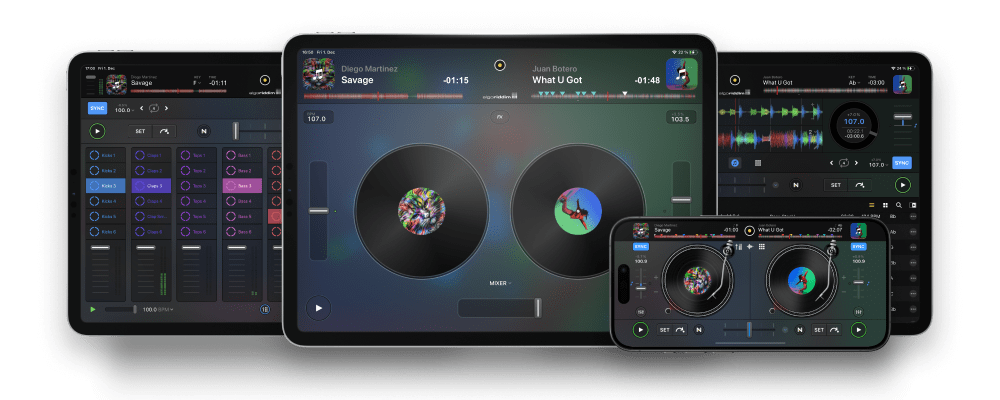
djay’s acclaimed user interface has won multiple Apple Design Awards for excellence in design and ease of use. Building on that foundation, the new djay offers the most intuitive yet powerful interface we’ve ever made: a classic turntable and a mixer setup, an immersive Automix view with gorgeous album cover display, an all-new 2-Deck pro mode to view high resolution waveforms and your library side by side, live music production tools, and so much more.
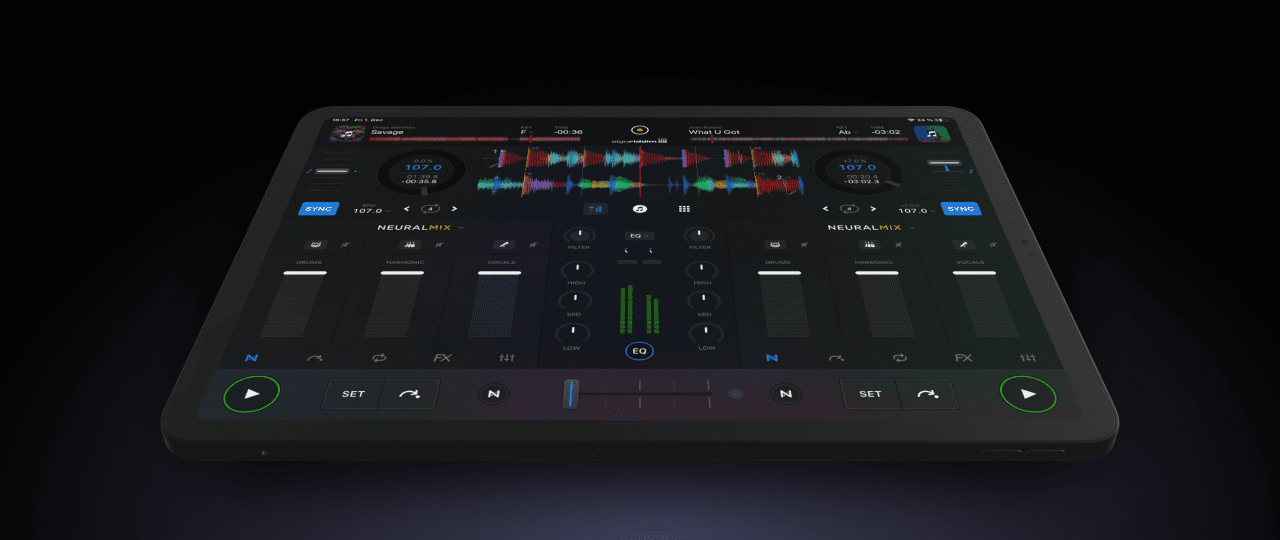
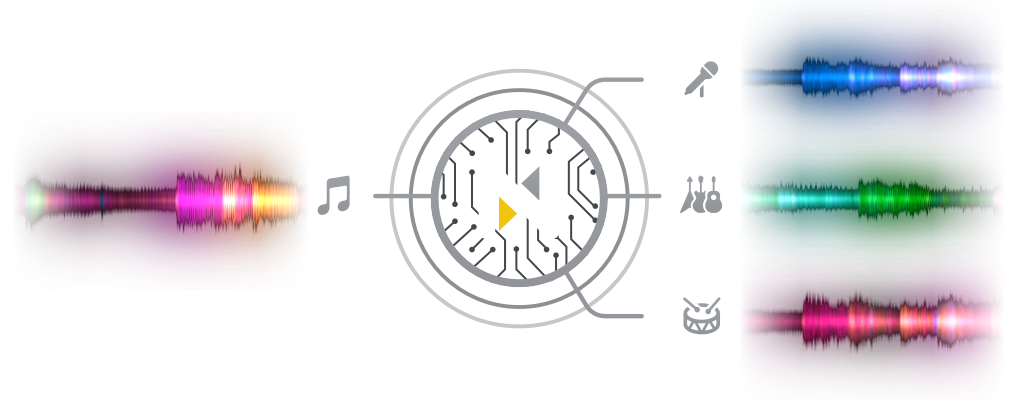
djay Pro introduces Algoriddim’s revolutionary Neural Mix™ technology allowing DJs to play and remix singular elements from multiple tracks in real-time. Instantly isolate beats, instruments, and vocals of any song based on cutting-edge AI.
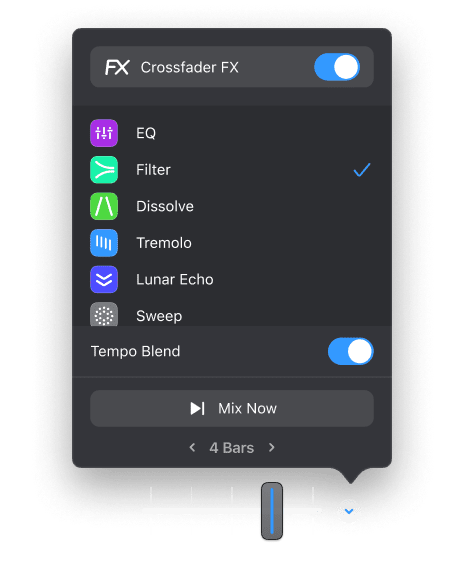
Crossfader Fusion™ allows you to seamlessly morph tracks by deconstructing music in real-time while intelligently applying filters and effects. Fluid Beatgrid™ is the world’s most sophisticated beat matching engine enabling effortless transitions across diverse musical genres and tempos.
Gesture Control provides a revolutionary new way to perform using advanced AI-powered hand tracking technology. Your gestures are intelligently detected in 3D space and mapped to advanced DJ performance techniques in real time. You can choose from a set of intuitive hand gestures to scratch, create loops, and to apply filters and effects simultaneously; or simply lean back and perform a clap gesture to trigger an automatic transition from one song to the next.
Find out more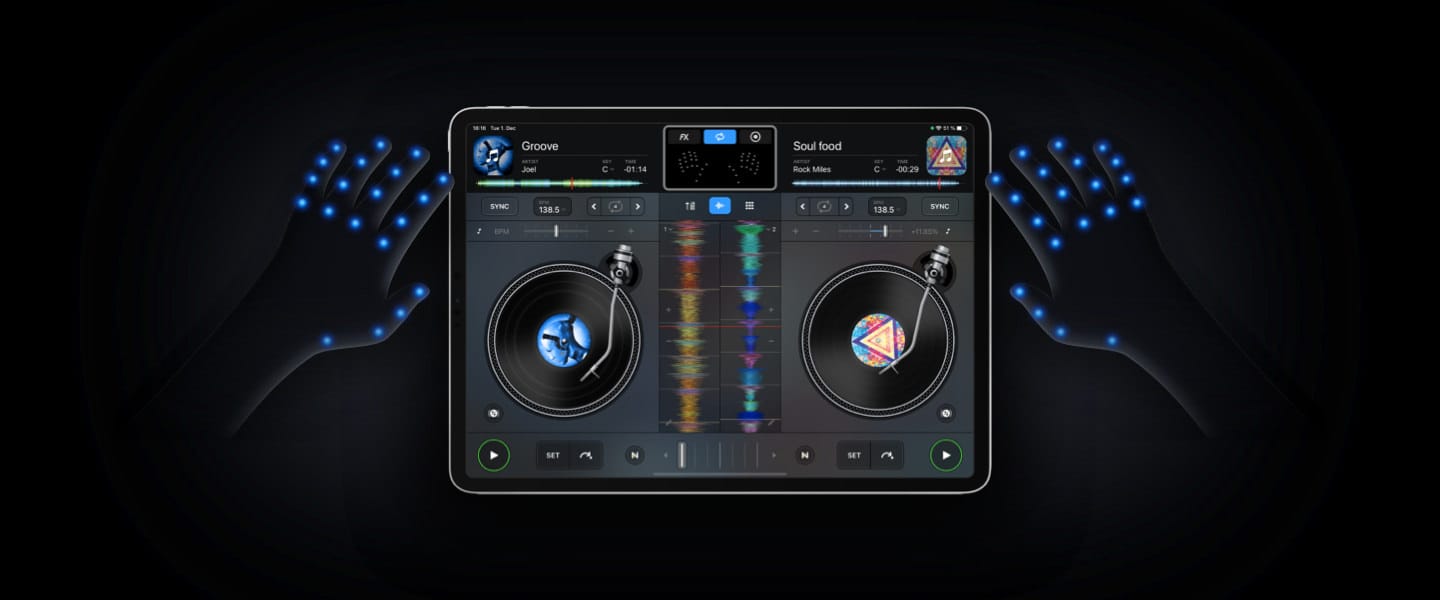
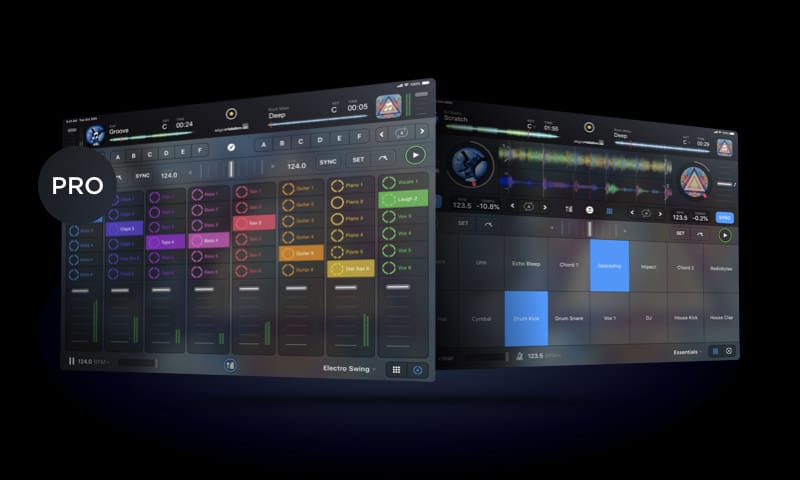
DJs wanting to spice up their sets can use the new music production tools in djay to record and sequence loops during the mix. It’s as easy as tapping samples in time with the playing track, and it’ll automatically quantise, sync and repeat. If you want to dive deeper into unique musical performance can load up the grid-based Looper with up to 48 loops, all time-stretched and perfectly matched to the beat in real-time. It’s not just mixing — now it’s remixing with djay.
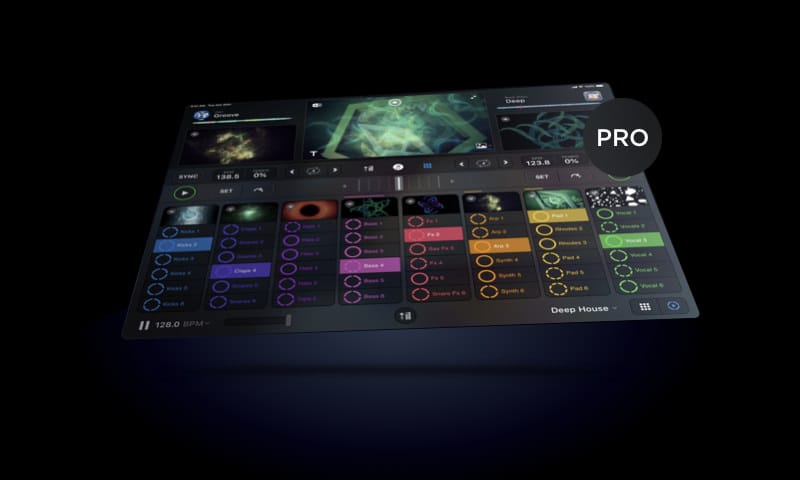
The Video mode in djay allows you to mix videos and Live Photos and apply stunning audio reactive visual loops to your songs, perfectly synchronized to the music. Transitions, Visuals, FX, Titles, real-time and fully integrated.
Visual Loops
Transitions
Title & Image Overlays
External display
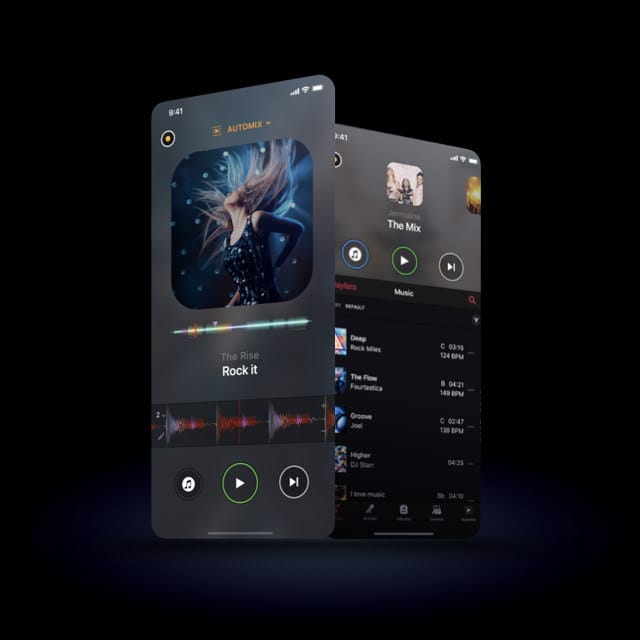
Lean back and automate your sets in advance with stunning transitions. Using machine learning and training sets from human DJs, Automix AI intelligently identifies rhythmic patterns and the best intro and outro sections of songs. Automix AI calculates optimal fade durations and automatically applies parameter changes to EQs and filters for a seamless transition.
New in djay is an advanced library management system that is built around a sophisticated integration with your music library, videos, and the Files app. djay now also offers its own playlists that make music management easier than ever.
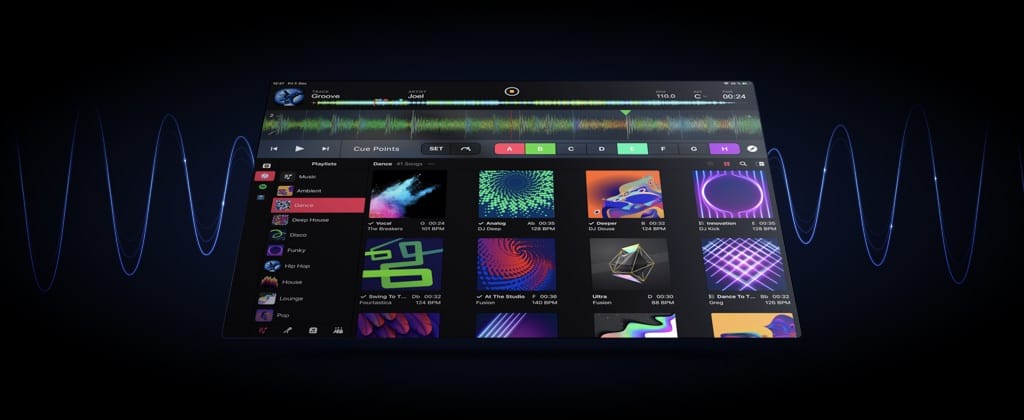
djay introduces powerful library editing features that make music management easier than ever. Create your own custom playlists using songs from iTunes, the Files app, and more.
To help you organize playlists and quickly locate songs, djay includes a powerful Smart Filter. With 12 different criteria, you can create rules that display exactly what you need, either to create playlists, or to quickly find a specific song.
New in djay is a library deck view that allows you to see your decks and your library side by side. This allows you to focus on the mix while browsing your library to find the next song.
In this powerful track preparation view you are presented with an even bigger library and a large single deck view, ideal for preparing your sets in advance.
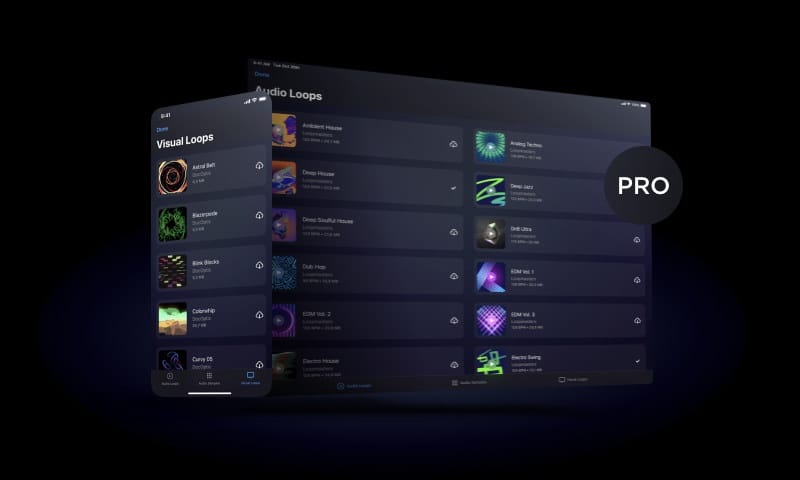
With the monthly djay Pro subscription, users have all the features they know and love from previous mobile and desktop versions, along with some cutting-edge new tools and a massive library of high quality samples, loops and effects. Top features include
With the monthly djay Pro subscription, users have all the features they know and love from previous mobile and desktop versions, along with some cutting-edge new tools and a massive library of high quality samples, loops, effects, and visuals.
The djay Pro subscription opens up access to over 1GB of audio loops from Loopmasters, samples from Future Loops, and video clips from DocOptic, along with 30+ professional audio FX from Sugar Bytes and various video FX. Get loops and sound packs from a wide range of popular genres such as Hip Hop, Deep House, EDM, and Trance, as well as more eclectic sounds from Ambient House, Electro Swing, or Jazz…. with more content to come for subscribed users.
Thanks to the USB-C port, users can now connect multiple devices to their iPad Pro. This allows users to output the visual mix to their big screen while jamming with an external controller – an essential feature for DJs and performing artists.
DJs wanting to spice up their sets can use the new sampler to record and sequence their loops during the mix. Those wanting to dive deeper into unique musical performance can load up the grid-based Looper with up to 48 loops, all time-stretched and perfectly matched to the beat in real-time.
Every sample in the new looper can be assigned a video clip that plays in time with the audio. And thus, with the power of the A12 Bionic chip, you can now mix up to ten videos in real-time. DJs and VJs can finally leave the laptop at home, and mix videos and visual loops, in real-time, right on their mobile device.
djay’s audio, graphics, and sync engines were rebuilt from the ground up to include support for Post-Fader FX, high resolution colored waveforms at a silky smooth 60 fps (120 fps on iPad Pro), beat-locked Sync Mode, sequenced playback of samples, advanced video mixing, and ultra-low latency.
Both free and pro versions of djay now have industry-standard Ableton Link for syncing tempo across compatible apps and devices on a shared network. Whether jamming with friends using desktop setups, or linking with other mobile apps, your tempo will be locked and flawless, even over Wi-Fi.
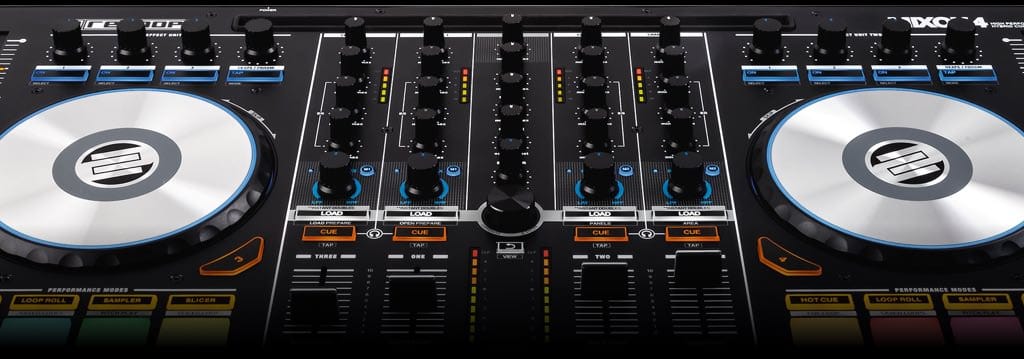
djay seamlessly integrates with professional DJ hardware from our official partners Pioneer DJ, Reloop, Numark, and Denon DJ.
Preview and prepare the next song through headphones: By enabling djay Pro’s Split Output mode or by using an external audio interface you can cue songs through headphones independently from the mix that goes through the main speakers for live DJing.
djay integrates seamlessly with existing professional DJ hardware. In addition to supporting over 50 MIDI controllers by Pioneer, Numark, Reloop, and other manufacturers out of the box, djay also includes an advanced MIDI Learn system. It enables you to map each hardware control on your device to individual actions in djay Pro and customize your setup to match your style and performance needs.
djay Pro offers native support for USB audio interfaces, allowing you to preview your mix through headphones while delivering pristine sound quality through the main output.
Any of our supported hardware accessories for djay Pro work plug-and-play out of the box. This allows you to effortlessly setup your preferred DJ system.
Sign up for our newsletter
I would like to read about the latest and greatest on the djay product line by Algoriddim. If I should change my mind, I can unsubscribe at any time. Further information can be found in the privacy policy.